


Logitech Mevo
2.8254.00 Reviews
App Specs
- Version
- 5.2.23
- Updated On
- License
- Free
- Downloads
- 500,000+
- Developer
- Logitech Europe S.A.
- Categories
- Video Players & Editors
- Platform
- Android
Screenshots
 Analysis by AppCompare
I tend to think of a live-streaming setup as a shared household tool rather than one person’s toy. One person may want to broadcast a school concert, another might run a community meeting, and someone else may simply record a family event. The Logitech Mevo app is aimed at that kind of camera-led production: it gives you controls for operating a Mevo camera and shaping a live video, rather than turning an ordinary phone into a complete studio by itself. That distinction matters when you decide whether it fits the way your household actually makes video.
Where a shared setup makes sense
I can see the app being useful when a family member or club already has Mevo cameras and wants to make a small event easier to follow. Picture a weekend performance in a community hall: one person watches the camera view and handles the broadcast, while another keeps an eye on the room and helps people find seats. The person operating the stream can focus on the framing instead of holding a phone up for the whole event.
That division of work is more practical than trying to film, interact with viewers, and manage the event alone. It also means the app suits planned broadcasts better than spontaneous clips. If all you need is to capture a quick moment and send it to friends, your phone’s camera and a familiar social app are usually simpler. Mevo makes more sense when a dedicated camera and deliberate direction are part of the plan.
Set expectations before handing over the device
The app is free to download, but that does not mean every advanced option is included at no cost. In-app purchases range from $19 to $149 per item, so I would check what a particular workflow requires before building a household routine around it. A useful approach is to let the person responsible for the camera test the intended setup first, then decide whether any paid option is worth it. That avoids discovering a cost boundary while everyone is waiting for an event to begin.
It is also worth treating the phone and the camera as separate parts of the setup. The app is a control surface for Mevo, not a substitute for having the camera ready, a stable place to position it, and a reliable connection for streaming. Before a shared event, I would have one person handle the equipment and app configuration, rather than passing the phone around while the stream is being prepared. That keeps accidental changes and last-minute confusion to a minimum.
Coordination is part of the production
When several people are involved, agree on who is operating the stream and who is responsible for the audience or the room. Even a straightforward camera view can become distracting if the operator is also expected to greet guests, answer questions, and watch the event. A quick rehearsal lets the operator learn where the important controls are and gives everyone else a chance to confirm where the camera should point.
If you have more than one Mevo camera, multicam switching can give a broadcast a more considered feel without requiring a separate production crew. The trade-off is that extra camera angles need coordination: cameras must be placed sensibly, and the operator has to choose when a change helps rather than simply switching for variety. For a small gathering, one well-positioned camera may be less stressful and more dependable than a multicamera setup that nobody has rehearsed.
Worth Reading Before You Choose

EA SPORTS FC Mobile 26 Is a Bigger Football Game, but It Takes Time

Flipboard Shows What News Apps Must Do Beyond the Feed

Switching to Android Auto Means Rethinking Your Driving Routine

Google Calendar Makes a Crowded Week Easier to Manage

Ludo King Makes the Most of the Minutes Between Plans

Baby Panda World Brings Quick Play to Modern Phones, but Its Game Library Feels Busy
Age, trust, and a sensible role for younger users
The app carries a Teen content rating, but that label is not a replacement for a household decision about who should run a live broadcast. Live video can show people and places in real time, so I would make sure everyone being filmed understands the plan and is comfortable with it. For a younger family member, a sensible first role might be helping choose a camera position or reviewing a test recording with an adult, rather than taking responsibility for a public stream alone.
Account access deserves the same thought. If several people share a device, decide whose account will be used and who is allowed to change settings or start a broadcast. I would avoid treating a shared phone as though every user has the same responsibilities, especially when the stream represents a school, club, or family group. Clear expectations are more useful than assuming the app will manage household boundaries for you.
Getting Started with Logitech Mevo
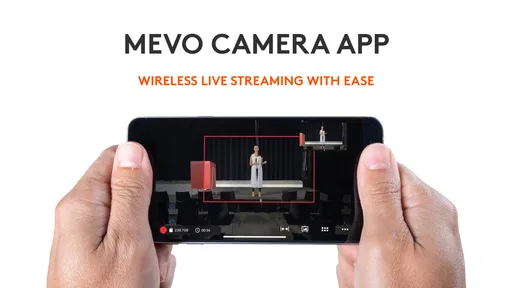
First things first, setting up the Logitech Mevo app is refreshingly straightforward. As soon as you download it from your app store of choice, you’re welcomed with a clean and intuitive interface. No unnecessary clutter, just the essentials to get you started on your streaming journey.
After a quick sign-in process, you can easily connect your smartphone to the Mevo camera. This connection process is smooth, thanks to a step-by-step guide that even the most tech-averse of us can follow without breaking a sweat. It’s like having a tech guru in your pocket, guiding you through each step.
Features That Make Streaming a Breeze
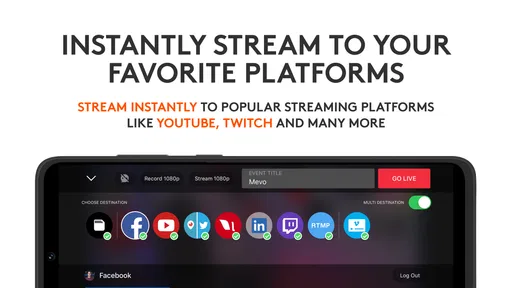
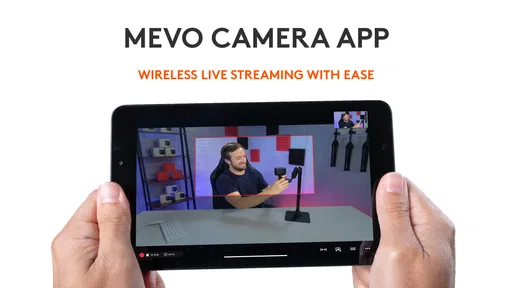
The feature set in the Logitech Mevo app is where the magic truly happens. You’ll find tools that allow for multi-platform streaming, which means you can broadcast to YouTube, Facebook Live, and more, simultaneously. No more juggling multiple devices or accounts — it’s all streamlined through the app.
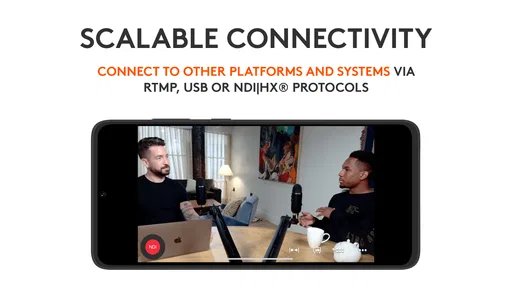
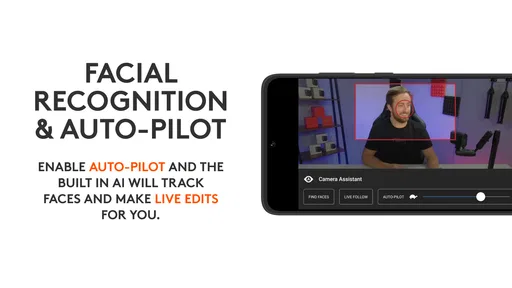
One of the standout features is the multicam functionality. If you have multiple Mevo cameras, you can switch between them seamlessly. Imagine having a multi-angle setup for your streams without needing a full production crew. This feature is a game-changer for those who want to add a professional touch to their live videos.
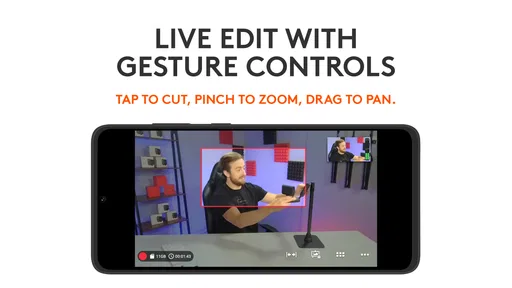
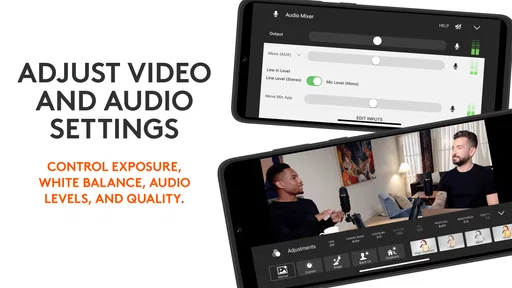
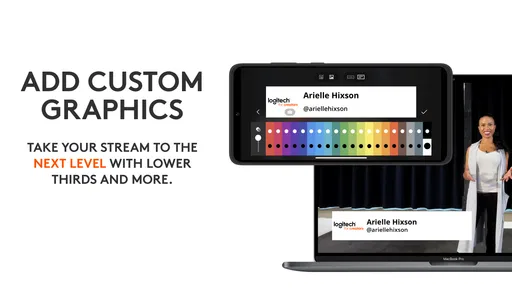
Editing on the fly is another perk. The app offers basic editing tools to tweak your video in real-time. Whether it’s adjusting the brightness, adding text overlays, or even trimming clips, you can do it all without needing a separate editing software. It’s perfect for those spontaneous live sessions where you want to keep things fresh and engaging.
User Experience and Performance
When it comes to performance, the Logitech Mevo app doesn’t disappoint. The streaming quality is top-notch, with options to stream in 1080p or even 4K if your setup supports it. The app ensures that your streams are smooth, with minimal lag and buffering — a crucial factor for keeping your audience engaged.
Battery consumption is another area where this app shines. While live streaming can be a battery drainer, the Mevo app is optimized to ensure you get the most out of your device’s battery life. It’s these small details that make a big difference in the overall user experience.
Room for Improvement
Despite its many strengths, there are a few areas where the app could improve. The learning curve for some of the more advanced features can be a bit steep for beginners. A more robust tutorial or help section could go a long way in making these features more accessible to everyone.
Additionally, while the app itself is free, some of the more advanced features require a subscription. This isn’t necessarily a deal-breaker, but it’s worth considering if you’re on a tight budget.
Also, the app performs best with a strong internet connection. If you’re in an area with spotty Wi-Fi, you might experience some hiccups. It’s always a good idea to test your connection before going live to avoid any unwanted surprises.
Choosing it over a phone-only stream
Compared with the usual video and social apps, Mevo is a more specialized choice. A phone-only stream is easier to start and avoids a separate camera workflow; a conventional video editor is better when the main goal is polishing footage after recording. Mevo’s appeal is live control around compatible Mevo cameras, with multicamera switching and on-the-fly adjustments. That focus is helpful for a planned broadcast, but it is unnecessary overhead for someone who only wants casual clips.
For a first-time user, I would run a private or otherwise low-stakes test before the real event, check the framing, and practise the transitions or overlays that will actually be used. Keep the first production modest. Every additional angle and live adjustment is one more thing to monitor, so a restrained setup often looks more confident than a feature-heavy one operated under pressure.
Who should use it—and who can skip it
Logitech Europe S.A. is the developer, and the app sits in the video-player and editing space while serving a fairly specific live-camera purpose. It has a 3.0 average from around 1.6 thousand ratings, with about 245 written reviews and over 500 thousand installs. I would read that modest average as a reason to match the app carefully to your needs, not as proof that it will suit every phone, camera setup, or streaming habit.
It is free, rated for Teen users, and its current version is 5.2.19; it requires Android 8.0 or later. The app was released on July 10, 2017. Those details make it easier to judge basic fit, but the more important question is whether you already have a Mevo camera and a reason to produce live video. If not, a standard phone camera or a simpler streaming app is likely the more sensible starting point.
I would recommend it to people who want hands-on control over a Mevo-based broadcast and are prepared to rehearse. I would steer away from it if you expect a one-tap phone-only solution, need a polished recorded edit rather than a live production, or cannot count on a reliable connection. The best result comes from treating it as one part of a small production workflow, not as a magic fix for every streaming problem.
Final Thoughts
All in all, the Logitech Mevo app is a stellar choice for anyone looking to up their live streaming game. With its rich feature set and user-friendly interface, it offers a lot of bang for your buck. Whether you’re a seasoned content creator or just getting started, this app provides the tools you need to create engaging and professional-quality live streams.
So, if you're ready to take your live streaming to the next level, give the Logitech Mevo app a try. It might just become your go-to tool for all things streaming.
Pros
- High-quality video streaming capabilities.
- User-friendly interface for easy navigation.
- Multiple camera angles enhance versatility.
- Portable design for on-the-go use.
- Seamless integration with popular platforms.
Cons
- Limited battery life for extended streaming.
- Requires stable internet for optimal performance.
- Subscription needed for advanced features.
- Somewhat expensive compared to competitors.
- Occasional connectivity issues reported.
FAQs for Logitech Mevo
What is Logitech Mevo and what does it do?
Logitech Mevo is a versatile live streaming camera designed for content creators who want to capture high-quality, multi-angle video footage. It allows users to stream directly to platforms like Facebook, YouTube, and Twitch with ease. The camera offers features such as 1080p streaming, real-time editing, and remote control through the Mevo app.
Is Logitech Mevo compatible with both Android and iOS devices?
Yes, Logitech Mevo is compatible with both Android and iOS devices. The Mevo app is available on the Google Play Store and the Apple App Store, allowing users to control the camera, edit live streams, and manage their recordings directly from their smartphones or tablets, ensuring a seamless user experience.
Does Logitech Mevo require a stable internet connection to function properly?
While Logitech Mevo can record offline, a stable internet connection is crucial for streaming live content. The quality of your stream depends on the speed and stability of your internet connection, so it is recommended to use a reliable Wi-Fi network or mobile data plan for uninterrupted streaming sessions.
What are the key features of the Logitech Mevo camera?
Logitech Mevo offers a range of impressive features including 1080p video streaming, a 150-degree all-glass lens, and a built-in stereo microphone. It supports real-time editing, allowing users to cut, zoom, and pan within the app. The camera is portable and battery-operated, making it suitable for on-the-go streaming.
Are there any subscription fees for using the Logitech Mevo app?
The basic functionality of the Logitech Mevo app is free to use, but there may be optional premium features available through in-app purchases. These premium features can enhance the streaming experience by offering additional capabilities, so it is worth checking the app for any available upgrades.


